


How To Get the Most Out of Kia Connect in Your New Vehicle
Getting a brand-new Kia equipped with the latest technology is exciting, but all those fancy buttons and features can be overwhelming. Luckily, Kia Connect can help you take advantage of everything your new car has to offer, with remote access, smart navigation, vehicle monitoring, and more. This guide from our Kiefer Kia team walks you through setting up and using Kia Connect in Eugene, Oregon. We also offer practical tips that’ll turn you from confused to confident in no time.
What Is Kia Connect?
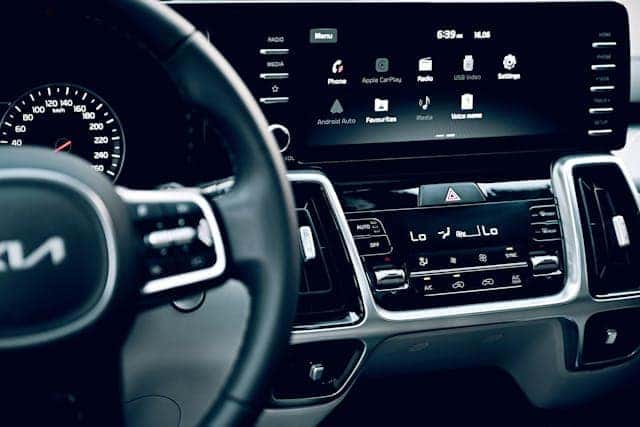
Kia Connect works like a digital buddy for your car, letting you unlock doors, start the engine, or find your parked car all from your phone via the Kia Access app. That means no more wandering around the crowded Valley River Center parking lot because you can’t remember where you parked or shivering while you wait for your Kia to warm up on a frosty winter morning.
The specific features available to you through Kia Connect depend on your car’s year, subscription plan, and VIN. Kia Connect comes standard in most 2024 and newer Kias, though many older models feature it as well.
Quick Setup Guide: App, Pairing, and Profiles
The Kia Connect app setup is quick and easy. It shouldn’t take longer than about 10 minutes, and all you need is your smartphone and your Kia. Here’s how to get started:
- Download the Kia Connect app on your phone (labeled “Kia Access” in app stores), and create an account.
- Enter your VIN in the app (if you’re unsure where to find this, look on your dashboard, door frame, or car registration), and request a verification code.
- Select “Activate Kia Connect” from your Kia’s touch screen, and enter your verification code.
- Confirm the connection by selecting “I have entered the verification code” on the app.
Once you’ve done the initial setup, you can customize your Kia Connect experience. Connect your phone to your car’s Bluetooth, and choose which app permissions to allow. You’ll likely want to enable location, notifications, and background refresh if you plan on using features such as navigation or service reminders.
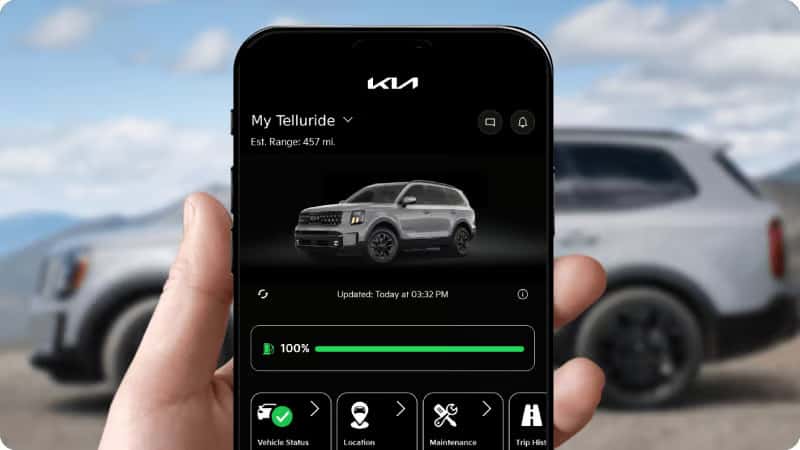
Image courtesy of Kia
You can then set up driver profiles, adjust and save your favorite settings (seat position, mirror angles, climate preferences, etc.), and program navigation favorites (such as home, work, places you frequently visit, and even Kiefer Kia’s service center) to make getting directions just one tap away. If you have a teenage driver in the house, you can even program a series of alerts to keep you informed if they deviate from approved location parameters, speed, or drive past curfew.
Smarter Navigation and Daily Convenience
Kia Connect is equipped with tons of convenient features to help make your day-to-day life easier, including:
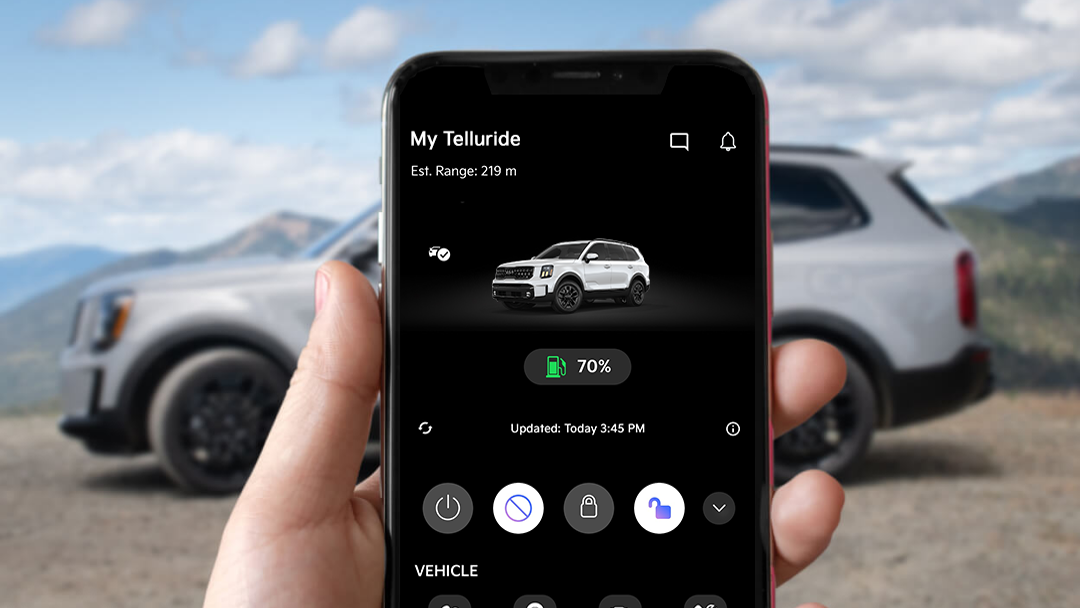
- Remote lock: This feature lets you lock the doors from miles away — perfect for when you can’t remember if you locked the car — and easily unlock them, which is helpful when you’re juggling grocery bags and coffee cups.
- Remote start and climate control: This allows you to start the engine, set the cabin temperature, and defrost the windshield remotely. (Safety tip: Don’t use this feature in an enclosed or partially enclosed area like a garage — over 400 deaths occur from accidental CO exposure annually, and it’s not worth the risk.)
- Car finder: Find My Car automatically marks where you parked and guides you back.
- Voice assistant: Using an Amazon Alexa connection, you can give voice commands for basic instructions and to activate certain Kia Connect features.
- Over-the-air updates and navigation: Dodge Beltline backups and construction zones, locate gas stations and parking spots, and find the best routes to your destination, based on real-time traffic data.
It’s important to remember that some of these features are available only with certain subscription plans and compatible Kia models. If you aren’t sure which plan to select or which features your model supports, contact our friendly team of experts at Kiefer Kia.
Vehicle Health, Service, and Ownership Planning
Your Kia is an investment, and the best way to protect that investment is to take good care of your car. As a bonus, this can boost your resale value if you later choose to sell your Kia, as vehicles with a solid maintenance history sell for 10%-15% more than cars without records.
Kia Connect makes this process simpler than ever, with monthly Kia vehicle health reports that give real-time updates on your car’s condition, such as battery health, tire pressure readings, and upcoming maintenance needs, along with tips and coupons. Maintenance reminders ensure you don’t forget regularly scheduled services, and you can even book appointments and view your service history in the app.
Electric-Specific Power Moves
For electric vehicle (EV) or plug-in hybrid owners, Kia Connect becomes charging central. Here are a few EV Kia Connect tips to make it easy to stay powered up:
- Start and stop EV charging from the app.
- Check your Kia’s charging status from the app.
- Set charging times to take advantage of cheaper electricity rates.
- Find charging stops along major Oregon highways when you’re planning a road trip.
Master Your Kia Connect Experience With Expert Support
Our team at Kiefer Kia is ready to help you get started with your own Kia Connect setup, optimize your driver profiles, and share local charging and route tips. Our staff can check what features your specific VIN includes and help you maximize your subscription through hands-on training.
If you’re ready to tailor your Kia Connect experience to your lifestyle, call us at 541-800-1852 or contact us online to book a personalized, one-on-one session with our tech experts. We’ll explore your car’s capabilities, fine-tune your settings, and share tips to help you get the most from every Kia Connect feature.
You can also check out our Kia financing options, schedule service, and order Kia parts.

0 comment(s) so far on How To Get the Most Out of Kia Connect in Your New Vehicle